Building a Second Brain: My Journey with Google Antigravity & Gemini Flash
A comprehensive guide on how I used Google Antigravity AI and the Gemini Flash model to architect a high-security Command Center website in just 4 weeks and how beginners can start their own journey today.
Building a Second Brain: My Journey with Google Antigravity & Gemini Flash
Building a portfolio in 2026 is not just about putting your resume on a webpage. It is about proving that you can architect a system. It is about showing that you can leverage the most powerful tools available to build something faster, smarter, and more secure than was possible even a year ago.
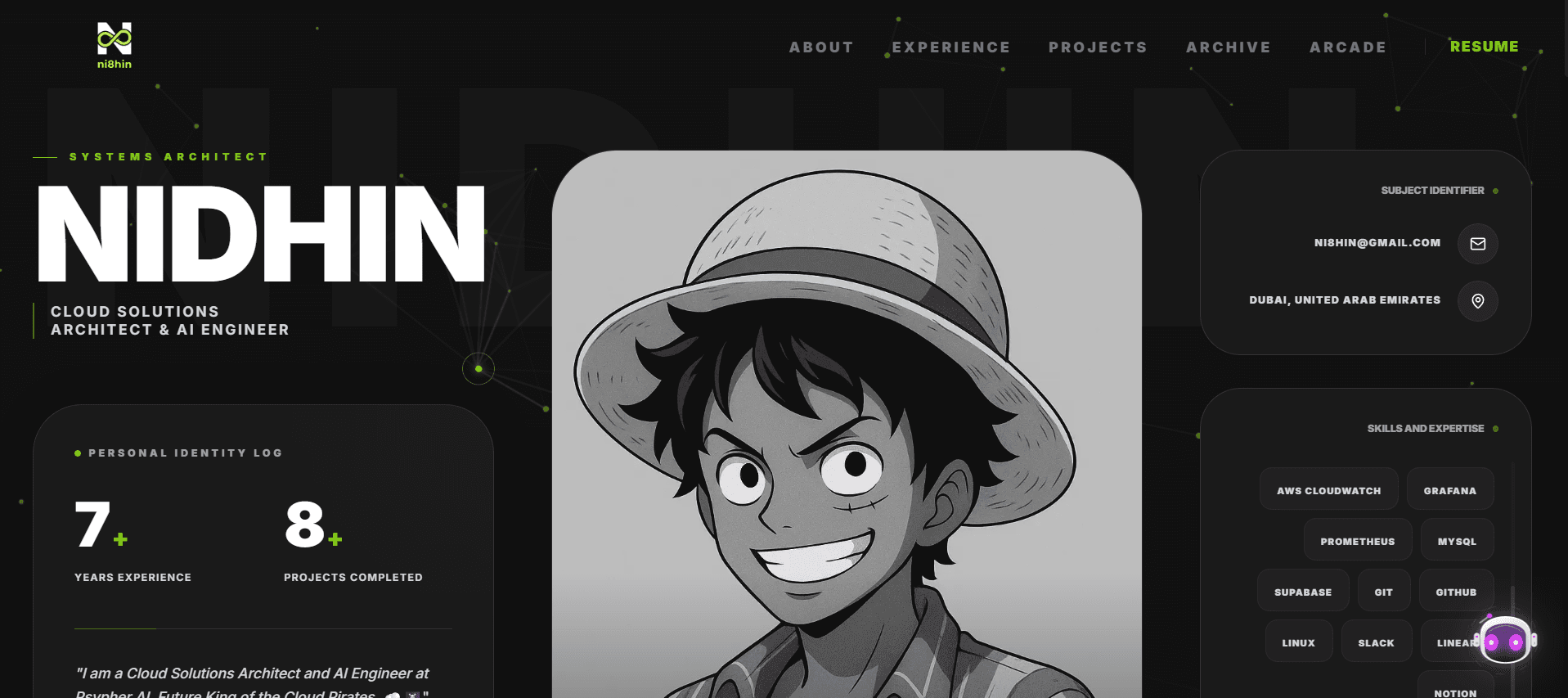
Over the last 4 weeks, I transformed a blank screen into this High-Performance Command Center you are looking at right now. I did not do it the "hard way" by writing every single character of code myself. Instead, I mastered the art of AI Pair Programming.
By using Google Antigravity powered by the ultra-fast Gemini Flash model, I acted as the Lead Architect while the AI handled the heavy lifting.
This is the story of how I built it, the technologies I used, and exactly how a beginner can start this journey today.
1. The Strategy: Changing How We Code
When beginners start coding, they often get stuck on syntax. They worry about where a semicolon goes or why a div is not centering. This slows down creativity.
My strategy was different. I treated the AI as my Junior Engineer.
The Power of Google Antigravity Most AI tools just spit out code that might or might not work. Antigravity is different because it understands Context and Planning.
- Context Awareness: It reads my entire project structure. It knows I am using Next.js and Supabase. It sees my file names. It understands the "vibe" I am going for.
- The Planning Phase: Before writing code, it pauses. It generates a step-by-step plan in plain English. It asks itself: "If I change this authentication rule, will it break the login page?"
- Gemini Flash Speed: Because it uses the Flash model, this thinking process happens almost instantly. It allowed me to iterate on ideas in seconds rather than hours.
2. The Foundation: Next.js & Supabase
A house needs a strong foundation. For a modern web application, the best combination right now is Next.js and Supabase.
Next.js (The Body)
Next.js is a framework for React. Think of it as the "Body" of the website. It handles everything you see on the screen.
- Why I chose it: It is incredibly fast. PRO Tip: It uses something called "Server Side Rendering" which means the page is built on the server before it is sent to your phone, making it load instantly.
Supabase (The Memory)
A website without a database is just a digital brochure. I wanted this site to remember things. Supabase is an open-source database that acts as the "Memory" of the site.
- Why I chose it: Setting up a traditional database takes days of configuration. Supabase takes about 2 minutes. It gave me a professional Postgres database, instant APIs, and real-time capabilities right out of the box.
3. Building the "Archive" & Admin System
I did not want a static blog where I had to edit code just to post an update. I wanted a dynamic Content Management System (CMS) where the website could grow with me.
The Archive This section you are reading now is fetched dynamically from the Supabase database. When I write a new log, I do not deploy new code. I simply add an entry to my database, and the website automatically updates to show it to you.
The Admin Login But I cannot just let anyone write to my database. I needed a secure door. We built a custom Admin Login page located at a secret URL.
- Authentication: We used Supabase Auth to handle the security. It verifies my email and password securely.
- Session Management: Once logged in, the site gives me a "Session Token" (like a digital VIP badge) that lets me access the writing tools.
4. The "Invisible Guard": Middleware Security
This is the part most beginners skip, but it is the difference between a toy project and a professional application. We implemented Middleware.
Think of Middleware as a friendly Security Guard standing at the front door of the server.
How it works: When you click a link on this site, the request does not go straight to the page. It stops at the Middleware first.
- The Check: The Middleware looks at your request. Are you trying to go to the Admin panel?
- The Verification: If yes, it checks for that "VIP Badge" (the session cookie).
- The Decision: If you do not have the badge, the Middleware redirects you to the Login page immediately.
This happens at the "Edge" of the network, meaning it is lightning fast. It protects the site from unauthorized access and keeps the detailed admin code from even loading for regular visitors.
5. The 4-Week Roadmap for Beginners
If you want to build a site like this, do not try to do everything at once. Follow the path I took:
Week 1: Structure & Database
- Goal: Get a blank Next.js app running and connect it to Supabase.
- Task: Create a simple "Guestbook" where people can leave a message. This teaches you how to read and write data to the database.
Week 2: Design & Identity
- Goal: Make it look unique.
- Task: Use Tailwind CSS to style your pages. Do not just copy a template. Ask the AI: "How can I make a glowing button?" or "Give me a cyberpunk color palette." Experiment with animations using tools like Framer Motion.
Week 3: Intelligence & Logic
- Goal: Make the site smart.
- Task: Add the "Archive" or Blog section. Build the Admin page. Learn how to fetch data from Supabase and display it on the screen.
Week 4: Security & Optimization
- Goal: Pro-level polish.
- Task: Implement Middleware to protect your Admin route. Add a "Content Security Policy" to block malicious scripts. Run a Lighthouse audit to check your site speed and ask the AI to help you fix any slow areas.
6. Be the Architect
The barrier to entry for building amazing software has never been lower. You do not need to memorize every syntax rule of TypeScript. You need to develop your Product Thinking.
- Focus on the "What": What do I want to build? What user problem am I solving?
- Let AI handle the "How": Use Antigravity and Gemini Flash to write the boilerplate code, debug errors, and explain complex concepts to you.
You are no longer just a coder. You are an Architect composing a masterpiece.
Start your project today. Open your terminal, type npx create-next-app, and see where your curiosity takes you.
Fuel the Architecture
If this deep dive helped you build something better, consider fueling my next late-night coding session.
Newsletter Updates
Join 1,000+ engineers receiving weekly insights into AI, cloud architecture, and technical guides.