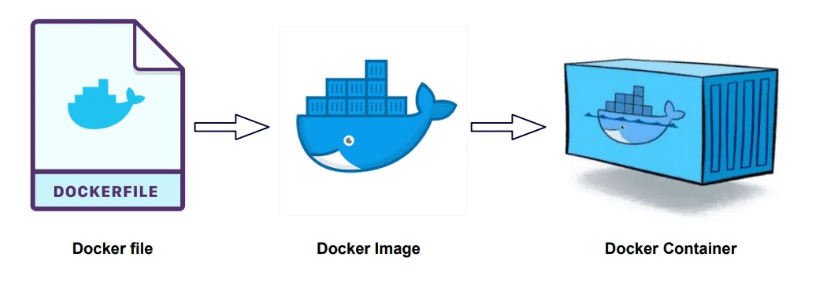
Immutable Infrastructure: Scaling Web Delivery with Custom HTTPD Docker Images
The transition from volatile configuration to immutable infrastructure starts with the custom image build. Explore the architectural logic of packaging a high-performance Apache environment integrating custom configuration logic and application source code into a single, portable, and versioned asset.
In the traditional deployment model, configuring a web server is often a manual, snowflake-style process that is difficult to replicate across environments. Docker solves this by treating the infrastructure itself as an immutable, versioned asset. By building a custom container image, we package the OS, the web server (Apache), the application code, and the specific configuration logic into a single binary that behaves identically on a developer's laptop as it does on a production cluster.
This guide explores the architectural workflow of creating a custom HTTPD (Apache) image designed for reliable web delivery.
1. The Build Context (Project Structure)
For Docker to build an image efficiently, we must define a Build Context—a directory containing only the files required for the final image. A modular web delivery node typically requires three components:
- Dockerfile: The architectural manifesto defining the image layers.
- Application Source (
index.phporindex.html): The content to be delivered. - Metadata Configuration (
httpd.conf): The custom rules for the server engine.
2. The Architectural Manifesto: The Dockerfile
The Dockerfile is a series of declarative instructions that the Docker engine executes to build an image. We use the official Apache image as a parent, extending it with our specific business logic.
Technical Layer Breakdown:
- FROM: Establishes the OS and baseline environment. By using the official HTTPD image, we inherit security patches and optimized binaries from the community.
- COPY: Injects the files from our local build context into the immutable layers of the image. Once built, these files cannot be changed without rebuilding the image.
- CMD: Defines the container's primary role. httpd-foreground ensures that if the Apache process dies, the container itself stops, alerting the orchestrator to a failure.
3. Image Synthesis: The Build Phase
To transform these instructions into a portable asset, we execute the build Command. The process "flattens" the instructions into a set of read-only layers.
-t: Tags the image with a human-readable name and version.
.: Defines the current directory as the build context.
4. Deployment & Ingress Mapping
Once synthesized, the image is ready for deployment. To make the service accessible, we must bridge the container's internal networking to the host's egress ports.
Orchestration Logic:
-d (Detached Mode): Runs the web server in the background as a dedicated service node.
Conclusion
Building custom Docker images is the foundation of Immutable Infrastructure. By packaging your configuration and code into a single, unchangeable layer, you eliminate the "it works on my machine" problem. This workflow provides the consistency and portability required for modern, cloud-native deployments.
Fuel the Architecture
If this deep dive helped you build something better, consider fueling my next late-night coding session.
Newsletter Updates
Join 1,000+ engineers receiving weekly insights into AI, cloud architecture, and technical guides.